The house guide
Your house rules, how things work and notes from you. Claude can write a first draft from your notes, and you read it before guests do.

A welcome screen for the TV in your Airbnb or holiday home. Free.
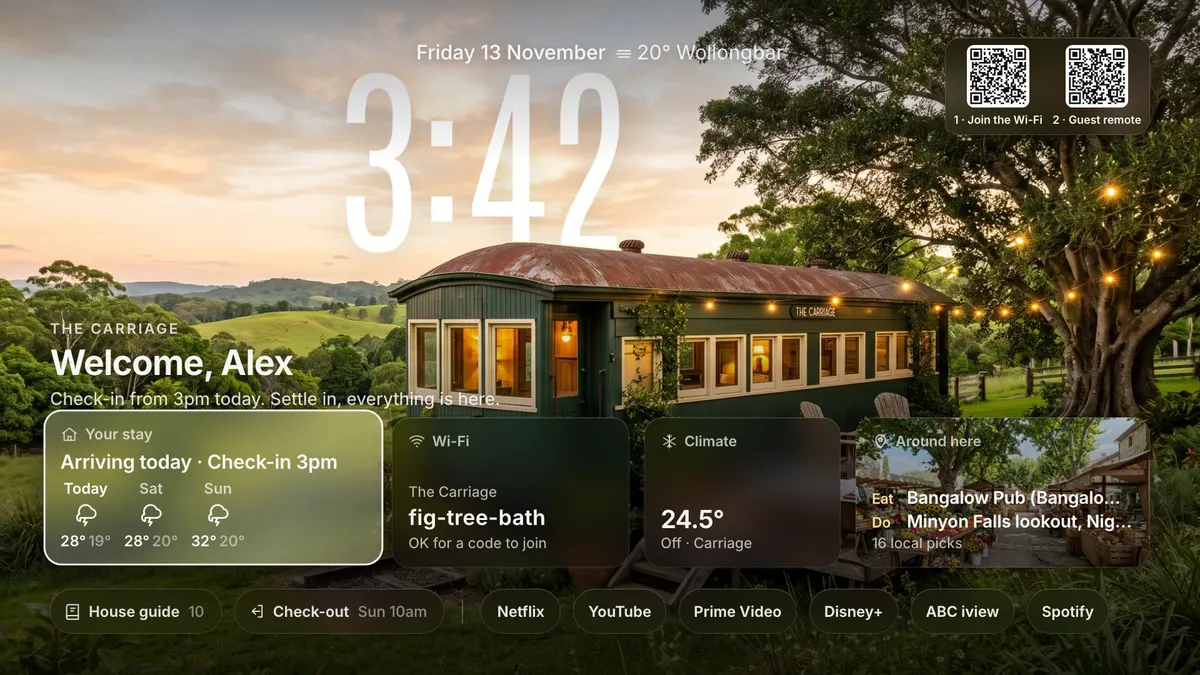
Guest TV reads the guest's first name from Airbnb's booking email, then shows it on arrival day with the check in time and the weather for each day of the stay.
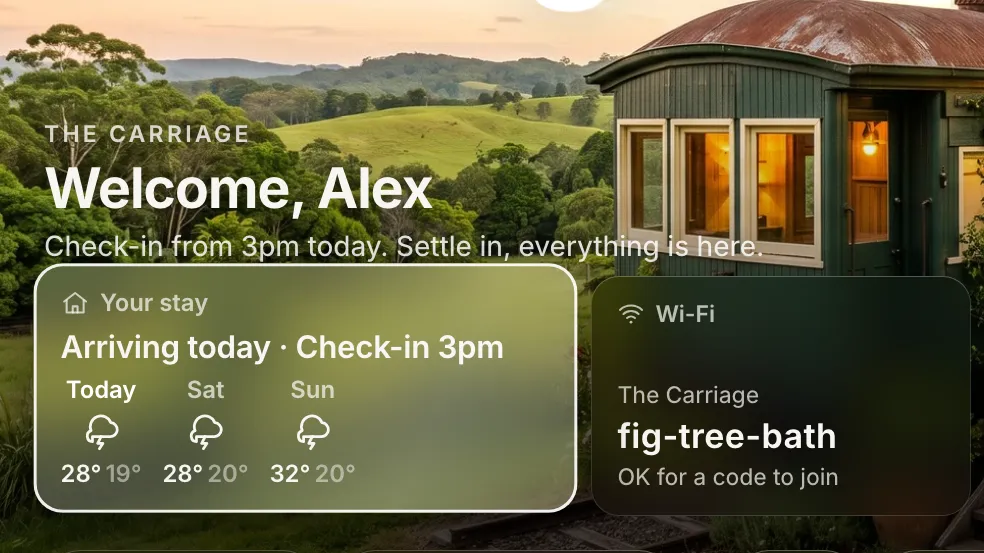
The network and password sit on the TV with a code to scan. Guests point their phone's camera at it and they are on. A second code opens the Guest remote.

One screen for arrival, the nights in between, the last morning and the empty days before the next booking.
"Welcome, Alex." Their first name, the check in time, the Wi-Fi with a code to join, the weather and the best places nearby.
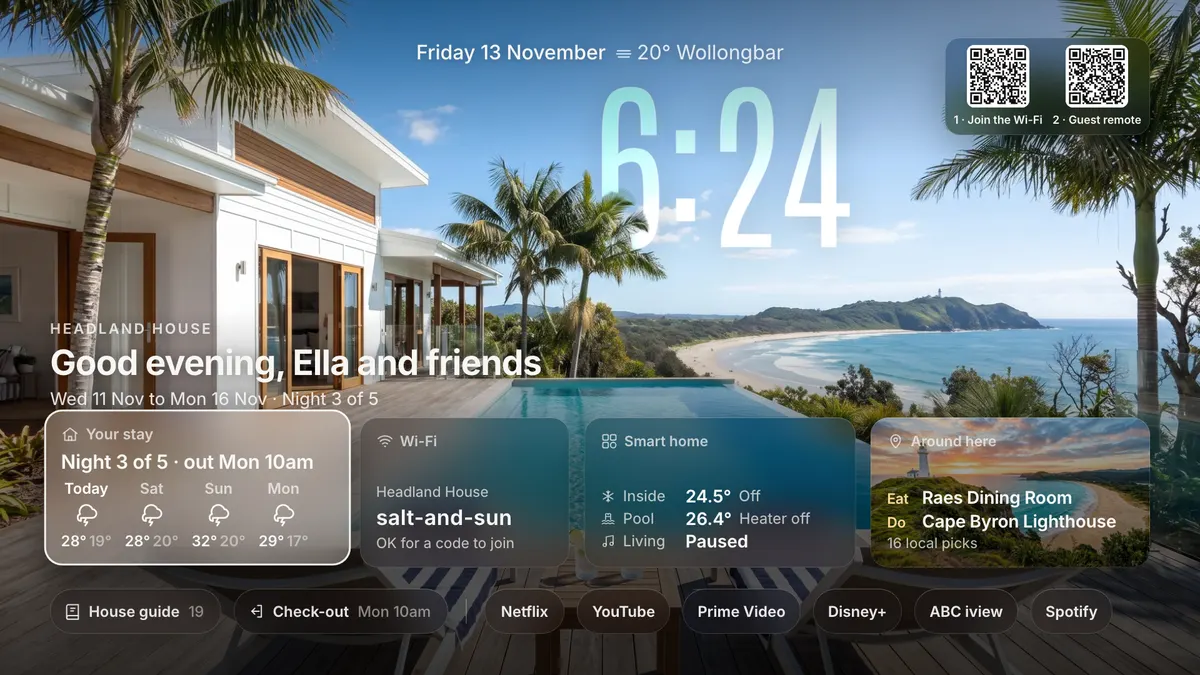
Night three of five, and when they leave. The door code shows only while they are booked in, and the pool and speakers sit on one card.
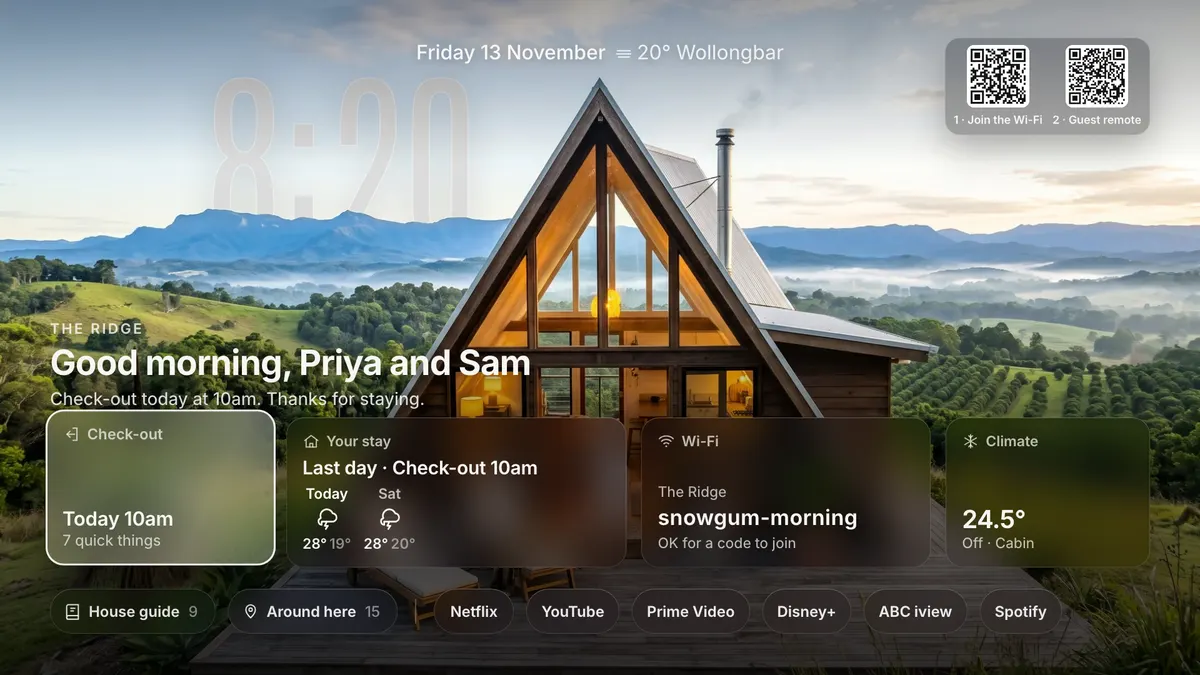
Check out time up front, and your few steps before they go.
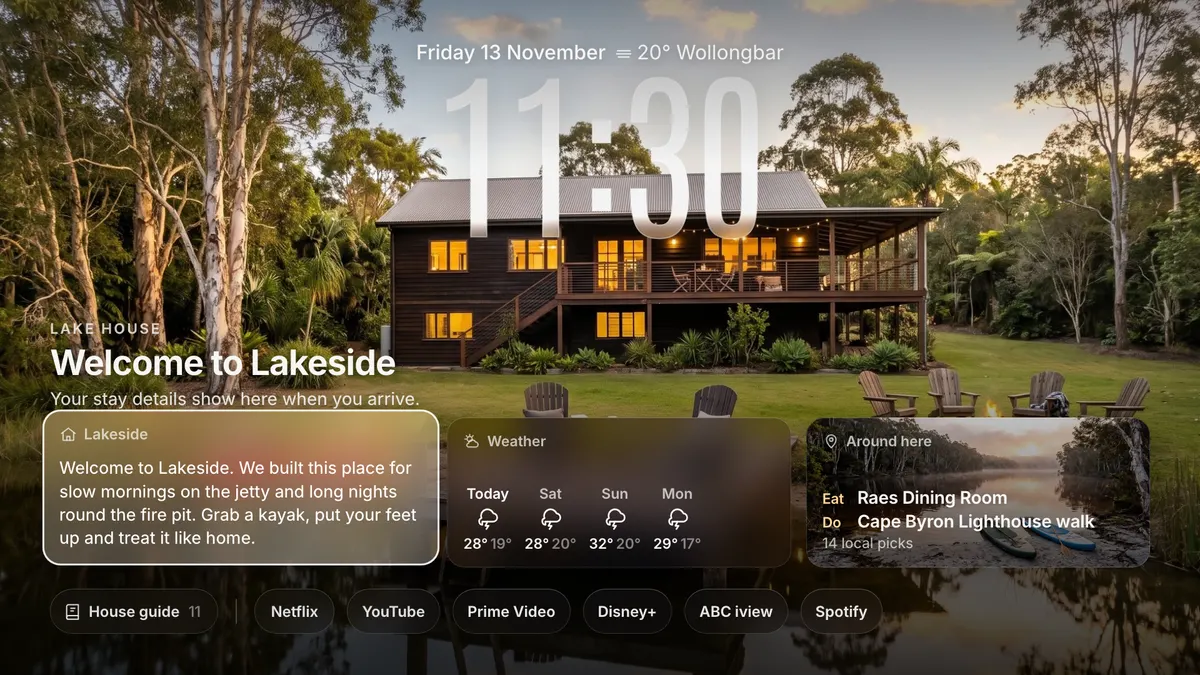
Your place and its welcome. No names, dates or codes on screen until the next booking.
Each card on the welcome screen opens with the TV remote, or from their phone.
Your house rules, how things work and notes from you. Claude can write a first draft from your notes, and you read it before guests do.
Places to eat, things to do, coffee, beaches and walks, each one checked on the web. Who to call in an emergency, too.

Front door, pool gate, garage. They show while the guests are booked in, and never between stays.

On the last morning the check out time comes first, with your list of quick things to do before they go.

They scan a code on the TV and the Guest remote opens in their phone's browser. Nothing to install, it only works on your Wi-Fi, and it stops at check out.
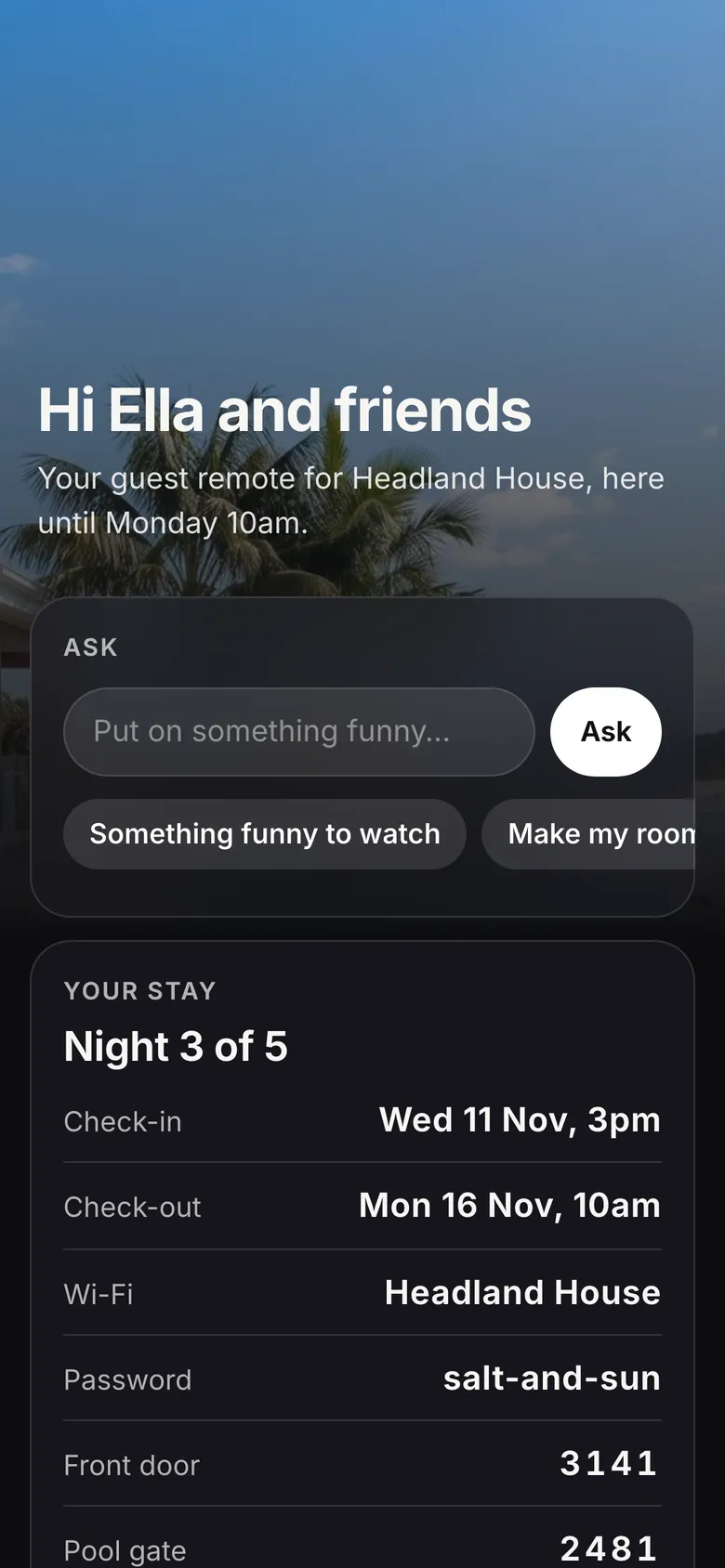
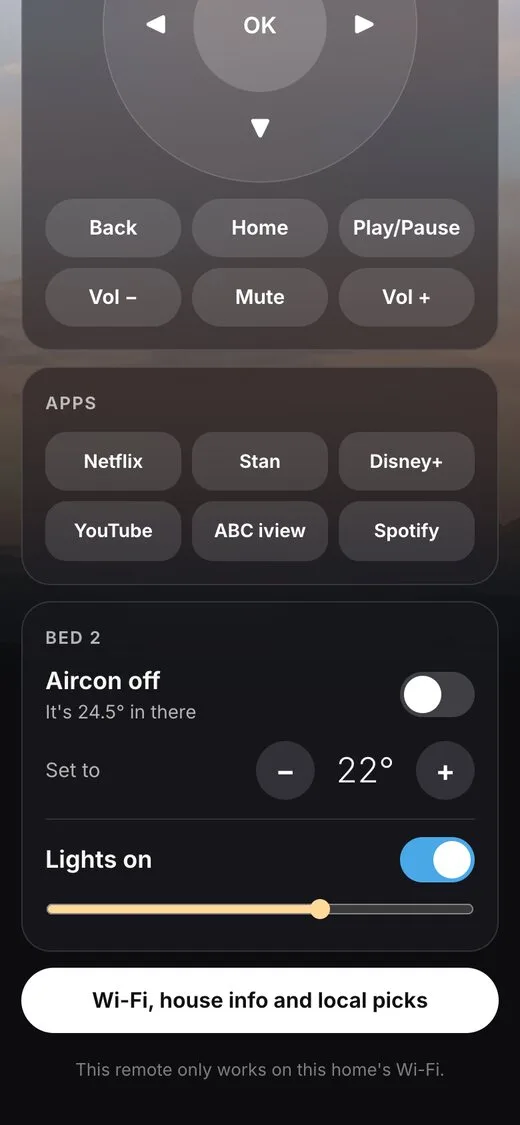
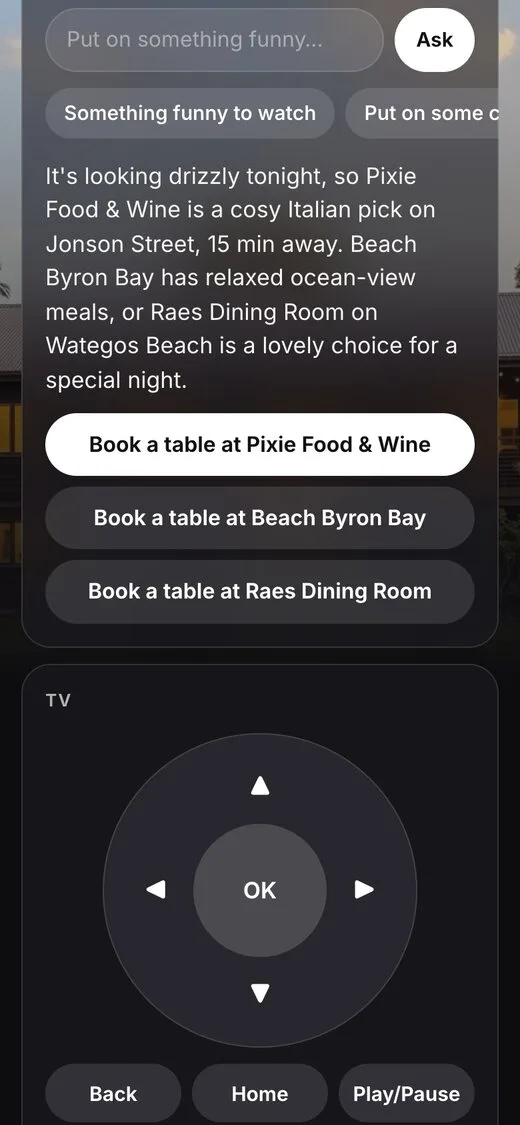
Only the rooms and devices you pick. AirTouch 5 aircon, and lights, a pool heater and speakers through Home Assistant or Philips Hue.

Whatever the Ask box can do, a guest can try to talk it into. So you pick the level, and code checks every request, not just the AI's instructions.
The default. The TV, music, the rooms and devices you picked, the weather and your area. Book a table opens the restaurant's own page.
The AI has no tools at all.
Locked, plus buttons you add: a Home Assistant script or a webhook, with a Confirm tap if you want one.
Only what your buttons do.
Plus web search and tools you plug in. It can fill in a restaurant booking after the guest checks it and taps Book it.
A clever guest can get it to do anything those tools can do.
Never, at any level: shell commands, your files, your computer or other devices on your Wi-Fi. It never pays, types a card number or signs in to anything.
The phone side works with any TV. The welcome screen depends on the brand.
Three ways in, and AI is the best one. Each says what you need before step one. All three need a computer at your place that stays on, on the same Wi-Fi as the TV.
Claude Code reads Guest TV's own notes, asks you the questions in plain words, and puts it on the TV.
The easiest way for a Samsung, LG, Roku, Apple TV or any other TV. It never signs in to anything for you.
Every stepStand at the TV with the remote in hand. You install the free Downloader app from the TV's app store, then type a code.
For a Google TV, Android TV or Fire TV, once Guest TV is running on your computer. About ten minutes, no cables and no ADB.
What you needOne command on the computer that stays on, then the Guest TV app on the TV.
Not sure your TV will work? Check it first. Changed your mind later? Remove it.
Yes. Guest TV is free and open source under the MIT licence. The Ask box runs on your own Claude plan through Claude Code, and it never bills an API key. If it saves you a few "what's the Wi-Fi?" messages, you can shout Josh a coffee.
Yes, one at your place that stays on and never sleeps: a Mac, a Linux box or a Raspberry Pi, on the same Wi-Fi as the TV. It draws the welcome screen, runs the Guest remote and the helper, and opens Guest TV on TVs that are not Google TV or Android TV.
No. They scan a code on the TV and the Guest remote opens in their phone's browser. It only works on your Wi-Fi.
From Airbnb's "Reservation confirmed" emails. Forward or save each one into a folder, or let it read your mailbox read only with an app password. A cancel email takes them off again, and a name you type in the host panel always wins.
The remote link stops at check out, and the TV goes to the between guests screen: your place and its welcome, with no names, dates or codes.
In one private file on your computer, never in git. The door code only shows on the TV during a stay. There is no Guest TV server or account.
Yes: the main photo, one beside the house guide and one for "Around here". A wide photo looks best.

Josh Seage built Guest TV for the guest room at his place and for holiday stays, and gives it away free. If it makes your guests' arrival a little nicer, shout him a coffee, or follow along for what comes next.